
Best TeamViewer Alternative for Remote Access: Top 10 Solutions Compared in 2026
TeamViewer has long been a market leader in remote access software. But rising costs and licensing complexity push many businesses to explore alternatives.
The global remote desktop software market reached $3.33 billion in 2024 and is forecasted to significantly grow to $11.98 billion by 2032 at a 17.3% CAGR. This growth reflects the critical role remote access plays in modern businesses.
This guide compares 10 leading TeamViewer alternatives to help you find the right fit for your organization.
What to Look for in a TeamViewer Alternative
When evaluating remote access tools, it helps to align your checklist with how organizations are actually using them today.
- Performance & Speed: Connection quality matters. Look for solutions with low latency and high frame rates for smooth remote sessions.
- Security Features: Your remote access tool should offer enterprise-grade encryption, multi-factor authentication, and compliance certifications like SOC 2 or HIPAA.
- Pricing Transparency: Understand the cost structure. Some vendors charge per user while others charge per concurrent session. Watch for hidden fees.
- Cross-Platform Support: Make sure the solution works across Windows, Mac, Linux, iOS, and Android devices.
- Scalability: Select a remote access solution that grows with your business and offers enterprise features when you need them.
- Ease of Deployment: Consider how quickly you can roll out the solution to your team without extensive training.
With ~48% of the global workforce in remote/hybrid models in 2025, more than double 2020 levels, selection criteria must prioritize cross-platform support and rapid deployment for business-critical reliability.
Top 10 TeamViewer Alternatives Compared
1. Splashtop: Best Overall Value & Performance Leader

Splashtop stands out as the top TeamViewer alternative for remote desktop access in 2026. The platform delivers 4K streaming at 60 fps with industry-leading performance.
What makes Splashtop different:
- Costs up to 50% less than TeamViewer with transparent per-user pricing
- Offers purpose-built solutions for different needs: Business Access for remote work, SOS for on-demand support, and Remote Support for IT teams
- Provides bank-level security with 256-bit AES encryption, device authentication, two-factor authentication, and SSO
- Maintains SOC 2, HIPAA, and GDPR compliance for regulated industries
- Features advanced capabilities like session recording and fast file transfers
Pricing starts at $5 per month for individual users, making it accessible budget-wise for businesses of all sizes. Splashtop works seamlessly across all major platforms and integrates with popular PSA tools.
Best for: Organizations that want enterprise-grade performance without enterprise pricing.
2. AnyDesk

AnyDesk uses a proprietary DeskRT codec for lightweight remote connections. The Solo plan starts at approximately $24.90 per month.
It’s within the same price point as TeamViewer, but the platform offers excellent performance in terms of speed, low latency, and high frame rates, making it an ideal choice for individuals and SMBs requiring lightweight remote desktop solutions for performance-sensitive tasks, such as graphic designing and multimedia editing, video playback, IT support, and more.
Best for: Quick-deployment scenarios where a lightweight remote task is required.
3. AnyViewer
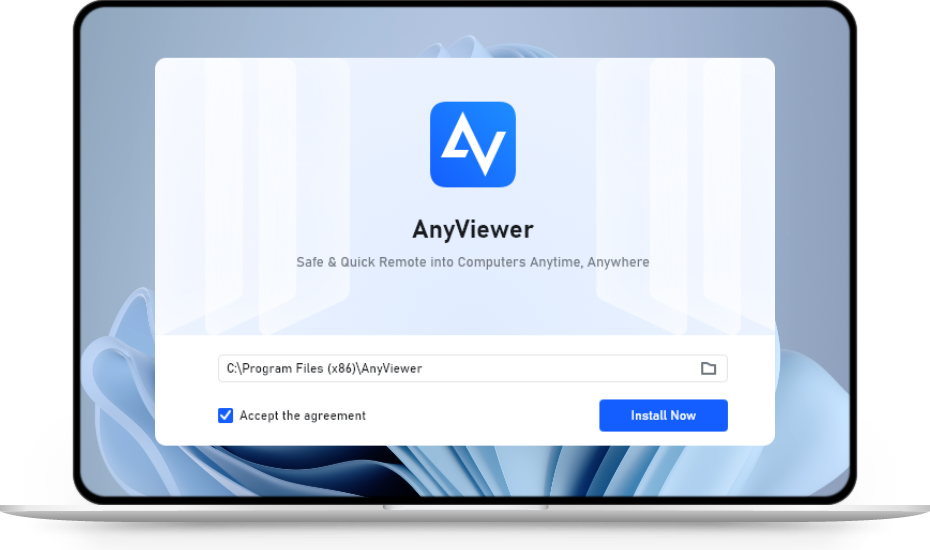
AnyViewer provides a free tier with basic remote access functionality and a straightforward setup, making it well-suited to personal use and small teams with simple requirements.
Paid plans for individual users start at around $3.99 per month on a one‑year subscription. However, exact pricing varies by region and discounts, and higher tiers add features that larger organizations may need.
Best for: Small teams and basic remote access needs.
4. RustDesk

RustDesk is an open-source remote desktop platform that supports self-hosting, giving organizations extensive control over their remote access infrastructure while still offering optional paid Pro plans and commercial subscriptions for additional features and vendor-backed support.
Pricing starts affordably at $9.90 per month, billed annually, for an Individual Self-Hosting Pro plan.
The trade-off is that you need in-house IT resources to manage and maintain the system.
Best for: Organizations with strong IT teams that want self-hosted options.
5. Zoho Assist

Zoho Assist integrates tightly with other Zoho products, so teams already using Zoho apps like Zoho CRM can streamline their support workflows. The platform is geared toward support scenarios (on‑demand sessions and unattended endpoints) rather than serving as a full‑time remote desktop for daily work.
Pricing for paid plans starts at about $10 per month, billed annually, for the Remote Support Standard or Unattended Access Standard tiers, with a separate free edition also available. This makes Zoho Assist a strong fit for existing Zoho customers who want integrated remote support.
Best for: Existing Zoho customers who want integrated remote support.
6. RemotePC

RemotePC delivers reliable, straightforward remote access without much visual polish or advanced enterprise bells and whistles. The interface is functional and stable, if a bit dated compared with newer competitors.
Its pricing is highly attractive for budget‑conscious businesses, with annual plans starting at $29.50 per year for the Consumer plan, which covers a single-user license.
Best for: Small businesses with tight budgets.
7. Screen Connect

ScreenConnect (formerly ConnectWise Control) targets managed service providers and IT teams, with specialized features and tight integrations into ConnectWise PSA and RMM products. The richness and complexity of the toolset can be overkill for non‑MSP users.
Pricing typically starts at $30 per month (billed annually) for the One plan with a single‑license restriction.
Best for: Managed service providers with existing ConnectWise ecosystems.
8. LogMeIn Resolve
LogMeIn Resolve (formerly branded as GoToResolve) is part of the LogMeIn family and includes helpdesk features alongside remote access.
The platform offers free trials for its paid plans. Entry plans start around $29 per month (billed annually), with tiers that scale by features and supported devices.
Best for: IT support teams that need integrated ticketing and remote access.
9. UltraVNC

UltraVNC is a free, open‑source remote desktop tool for Windows that lets you view and control remote PCs with file transfer, chat, encryption plug‑ins, and variants like UltraVNC SC and uvnc2me for easier one‑click support and NAT traversal. It also offers a Java-based viewer so users on other platforms can connect via browser while the server runs on Windows.
UltraVNC is licensed under the GNU GPL and is explicitly free for all use cases, including commercial environments, with no per‑user or per‑device subscription fees.
Best for: IT support teams and power users who want a free, Windows-focused remote support tool and can manage basic setup themselves.
10. Chrome Remote Desktop
Chrome Remote Desktop is completely free and requires only a Google account. It works across Windows, Mac, Linux, iOS, and Android.
However, it lacks many enterprise capabilities such as centralized management, granular admin policies, service-desk integrations, and built‑in chat, so it’s better suited to personal or light business use than large corporate environments.
Best for: Personal or light business use that requires casual remote access, not complex business environments.
Quick Comparison Table for TeamViewer Alternatives
|
Alternative |
Starting Price |
Key Features & Benefits |
Best For |
Platform Support |
|
Splashtop |
$5 per month (user) |
4K 60fps streaming, per-user pricing, multiple tailored editions |
Enterprise-grade performance at lower cost |
Windows, Mac, Linux, iOS, Android |
|
AnyDesk |
~$24.90 per month (Solo) |
Proprietary DeskRT codec, lightweight and fast |
Lightweight client for quick deployment |
Multi-platform |
|
AnyViewer |
~$3.99 per month |
Free tier, simple setup, tiered plans for larger orgs |
Small teams, basic needs |
Multi-platform |
|
RustDesk |
$9.90 per month (Pro) |
Open source, self-hosting option, vendor support |
Organizations with IT resources |
Multi-platform |
|
Zoho Assist |
~$10 per month |
Integration with Zoho apps, focused on support sessions |
Existing Zoho users |
Multi-platform |
|
RemotePC |
~$29.50 per year (Consumer) |
Reliable, simple UI, budget friendly |
Small businesses on tight budgets |
Windows, Mac, iOS, Android |
|
ScreenConnect |
$30 per month (One plan) |
MSP/IT focused, rich integrations with ConnectWise |
Managed Service Providers |
Multi-platform |
|
LogMeIn Resolve |
~$29 per month |
Helpdesk & remote access combined |
IT support with integrated ticketing |
Multi-platform |
|
UltraVNC |
Free |
Free, open source, Windows focused, plug-in encryption |
IT support & power users comfortable with setup |
Windows primarily, Java viewer |
|
Chrome Remote Desktop |
Free |
Google account based, cross-platform, simple |
Personal use, casual access |
Windows, Mac, Linux, iOS, Android |
Beyond Remote Access: Managing the Complete Device Lifecycle
While remote desktop software solves the challenge of accessing and supporting devices from anywhere, organizations must also consider what happens when employees leave the company or devices reach end-of-life.
For businesses with distributed teams, retrieving company-owned laptops, phones, and other equipment from departing employees presents a significant logistical challenge. This is where device retrieval companies come into play. These specialized service providers handle the physical collection of IT assets from remote employees, ensuring that company hardware is returned securely and efficiently.
The connection between remote access tools and device retrieval is more relevant than ever. Before initiating physical retrieval, IT teams often use remote desktop software to:
- Back up critical data from the device before it ships
- Perform remote wipes to protect sensitive company information
- Verify device condition through remote diagnostics
- Uninstall proprietary software and revoke access credentials
By combining robust remote access solutions with reliable device retrieval companies, organizations can maintain complete control over their IT assets throughout the entire employee lifecycle—from onboarding to offboarding. This integrated approach minimizes security risks and ensures compliance with data protection regulations.
Making Your Choice
The remote access landscape offers strong alternatives to TeamViewer. Each solution has its strengths for specific scenarios.
Evaluate your priorities. Do you need maximum performance? Enterprise security? Budget-friendly pricing? Or all three?
For most businesses seeking professional-grade remote access without premium pricing, Splashtop delivers the optimal balance. Start with a free trial to see how it works for your team.
Sources:
Remote Desktop Software Market Size, Share & Industry Analysis, By Deployment (Cloud and On-Premise), By Enterprise Type (Small & Medium Enterprises, and Large Enterprises), By End-User (BFSI, Healthcare, IT & Telecom, Government, Manufacturing, Education, and Others), and Regional Forecast, 2025-2032
https://www.fortunebusinessinsights.com/remote-desktop-software-market-104278
50+ Important Remote Work Statistics of 2025
https://www.yomly.com/remote-work-statistics/


