Patient Portal Development: Features, Cost, and Process
Patients now expect to see their records online. The US health IT agency ASTP/ONC reports that 77% of individuals were offered online access to their health information in 2024, and 65% used it in the past year. This guide shows providers what to build, which rules apply, and what it costs. It sits inside our guide to healthcare software development. It covers building the portal itself; for strategy and intake software, see our guides to patient engagement software and patient registration software.
Quick answer
A patient portal is a secure website or app where patients view records, message clinicians, and book visits. Building one means choosing features, meeting HIPAA and information blocking rules, integrating with the EHR, and testing with real users. Savvycom’s published estimate for a patient portal is $75,000 to $250,000, depending on integrations and scope.
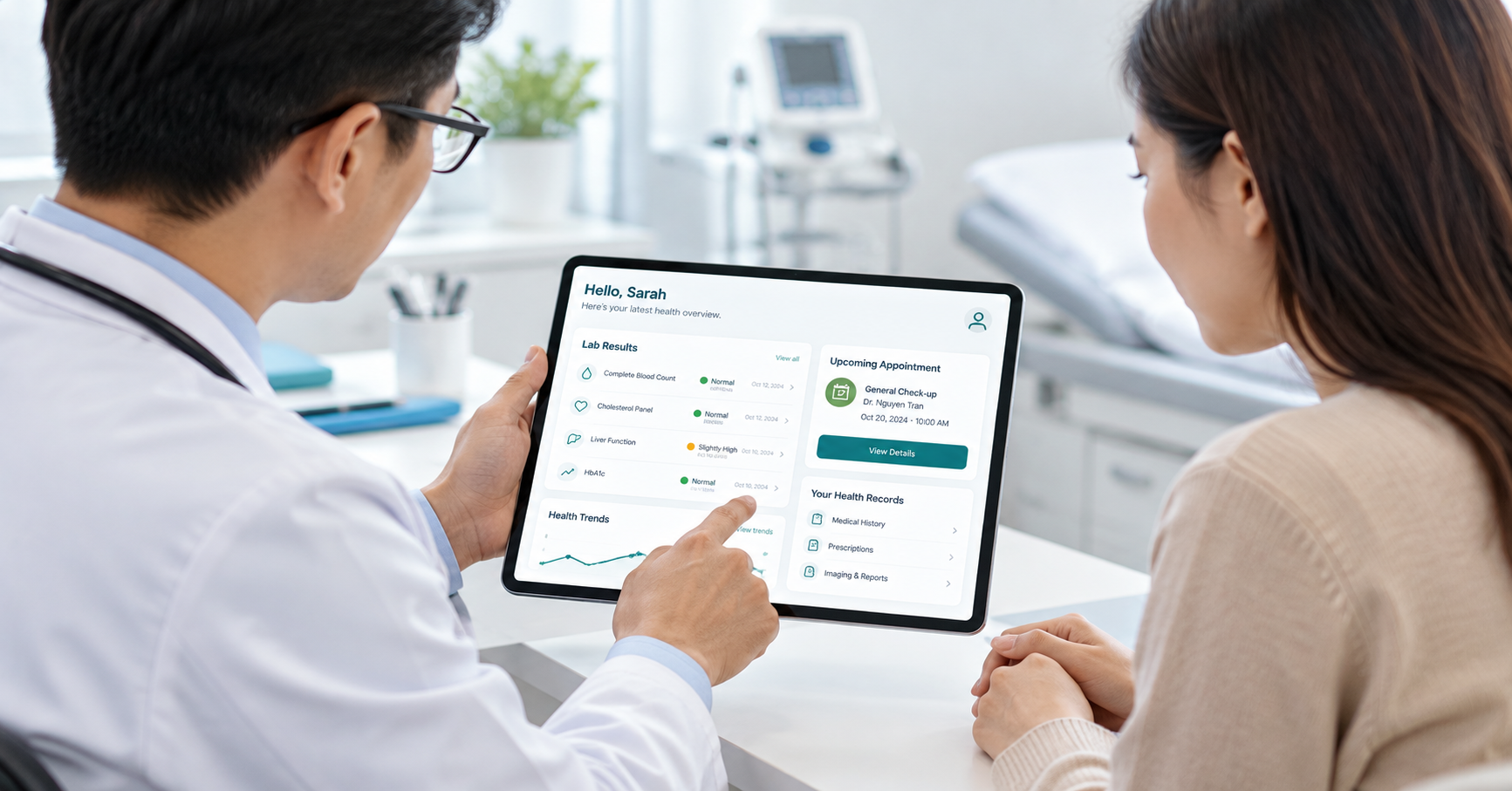
A patient portal gives patients secure access to their records, appointments, and care team
1. What Is a Patient Portal?
A patient portal is a secure online tool, on the web or in a mobile app, that gives patients access to their health information and lets them interact with their provider. Typical functions include viewing lab results and notes, messaging clinicians, booking appointments, and managing forms. It usually connects to the provider’s electronic health record.
A portal is one channel inside a wider engagement strategy. Engagement software also covers reminders, outreach, and analytics, and registration software covers intake. This guide stays on building the portal.
2. What Features Does a Patient Portal Need?
A patient portal needs four core functions first: results and notes, secure messaging, appointment scheduling, and the ability to download or share records. ASTP data shows these are what patients use most. Proxy access, payments, and forms add value but raise integration and security work, so phase them in after launch.
| Feature | Use in 2024 (ASTP) | Build note |
| View lab results | 90% | Needs a results feed from the EHR or lab system |
| View clinical notes | 80% | Depends on which notes the EHR can release |
| Message providers | 79% | Needs secure messaging routed to the right staff |
| Schedule appointments | 77% | Needs real-time availability from the scheduling system |
| Download information | 32% | Needs export in standard formats |
| Add information | 25% | Needs validation and clinician review |
| Send to a third party | 21% | Supports the patient’s right to direct a copy |
| Correct errors | 10% | Needs a request workflow and an audit trail |
ASTP also reports that caregiver (proxy) access rose from 24% in 2020 to 51% in 2024, so design for proxy accounts from the start rather than adding them later.
What Does This Look Like in a Patient App?
Jio Health, a telemedicine app in Vietnam, shows the patient-facing side of these features. Savvycom’s role was mobile app UX/UI design for iOS and Android. Patients log in with Facebook or a phone number, book appointments by time or doctor, chat with doctors 24/7, order from a pharmacy, and view a medical records profile.
The page publishes no metrics and mentions no EHR integration, so it shows how a patient experience can be organized, not how a hospital system is connected. The Jio Health telemedicine app case is a useful design
reference.
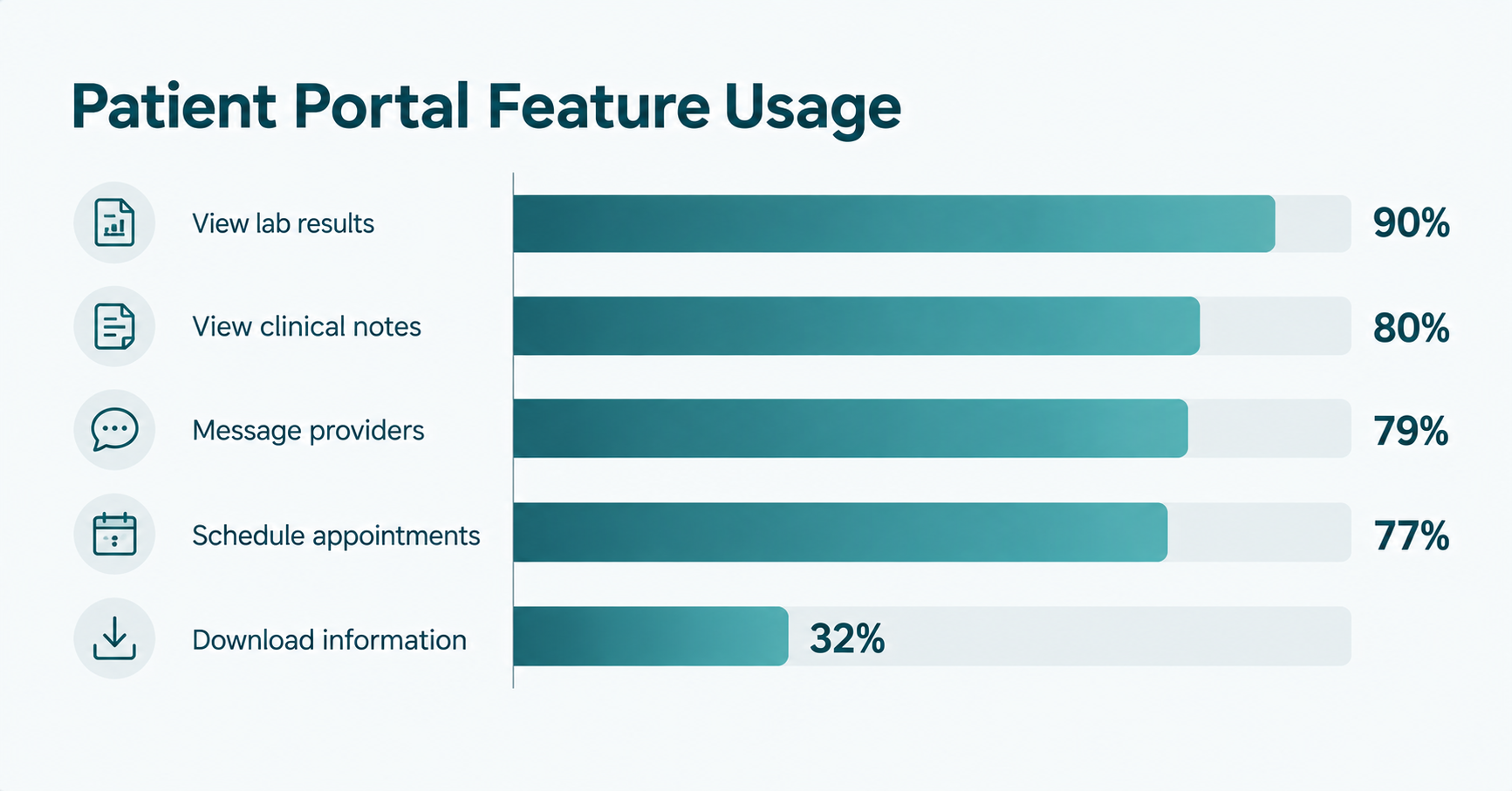
ASTP/ONC data shows lab results and messaging lead patient portal usage in 2024
3. What Rules Shape a Patient Portal?
Three sets of US rules shape a portal: the HIPAA right of access, the 21st Century Cures Act information blocking rules, and certification standards for health IT such as USCDI. Together they mean patients can get their data quickly and in electronic form, and providers cannot unreasonably block it. Confirm which applies with your compliance counsel.
- HIPAA right of access. A covered entity must act on an access request within 30 days, with one 30-day extension if it gives written reasons. If the patient asks for an electronic copy, it must provide it in the requested form if readily producible and send a copy to a person the patient designates (45 CFR 164.524).
- Information blocking. The Cures Act made sharing electronic health information the expected norm. A practice likely to interfere with access, exchange, or use can count as information blocking unless an exception applies, and HHS OIG can investigate.
- Certification standards. The HTI-1 rule adopts USCDI version 3 as the baseline for the ONC Health IT Certification Program as of January 1, 2026. A portal that pulls from a certified EHR should expect its data to follow that baseline.
This is a summary, not legal advice, and it covers US rules only. Other markets have their own requirements; check them separately.
4. How Do You Set Up a Patient Portal?
Setting up a patient portal starts with a choice: use the portal built into your EHR, buy a third-party portal, or build a custom one. Custom development makes sense when you need several systems behind one login, specialty workflows, or a branded app. Otherwise, a configured product is usually faster and cheaper.
What Are the Steps to Build a Custom Portal?
A custom portal build follows six steps: define users and scope, design the experience, map and connect data sources, build security and consent in from the start, test with real patients and staff, and pilot with a small group before expanding. Each step produces an output the next one depends on.
| Step | What happens | Output |
| 1. Scope | Define patients, proxies, staff roles, and first-release features | Scope and priority list |
| 2. Design | Prototype key flows with patients and test accessibility | Clickable prototype |
| 3. Integrate | Map the EHR, scheduling, lab, billing, and identity sources | Interface specification |
| 4. Secure | Set access control, encryption, audit logs, and consent | Security design and risk assessment |
| 5. Test | Run usability, load, failure, and compliance checks | Test report |
| 6. Pilot | Launch to a small group and track support tickets and drop-off | Go or no-go and a rollout plan |
5. What Is Patient Portal Integration?
Patient portal integration is the connection between the portal and the systems that hold patient data, mainly the EHR, plus scheduling, lab, billing, and identity systems. It usually runs on standards such as FHIR APIs or HL7 messages. Without it, staff retype data, and patients see stale or missing information.
The Cures Act final rule required certified health IT developers to implement secure, standards-based APIs, which ASTP says may partly explain rising patient access. Ask each EHR vendor which APIs it offers, what data they expose, and what they cost.
- EHR. Records, results, notes, medications, and visit summaries.
- Scheduling. Real-time slots, bookings, and cancellations.
- Lab and imaging. Results delivery to patients, with release timing rules.
- Billing and payments. Statements and online payment.
- Identity. Patient matching and login, including proxy accounts.
Plan for patient matching errors first. A record shown to the wrong person is a privacy breach, so matching rules and tests deserve more time than screens.
6. How Much Does Patient Portal Development Cost?
Savvycom’s published estimate for a patient portal is $75,000 to $250,000, the same range it gives for telemedicine apps. Scope sets the number: the count of integrations, native apps versus web, proxy access, and compliance work move the cost more than the number of screens does.
| Cost driver | Lower cost | Higher cost |
| Platform | Responsive web portal | Web plus native iOS and Android apps |
| Integrations | One EHR, read only | Several systems, two-way |
| Features | Results, messaging, scheduling | Add payments, proxy accounts, forms, video |
| Compliance | Standard HIPAA safeguards | Added audits and certification work |
| Data | Start with new data only | Migrate patient history |
This is an order-of-magnitude range, not a quote. Get a scoped estimate after a discovery phase that settles integrations and features.
7. Where Should You Start?
Start with one patient group and the three or four features they use most, usually results, messaging, and scheduling. Confirm EHR integration options before you design screens, because the EHR decides what data you can show. Then pilot with a small group and measure usage before you add features.