10 Best Digital Wallet & E-Wallet Apps in 2026 (Compared)
Reviewed by Tue Nguyen, Chief AI Officer at Savvycom
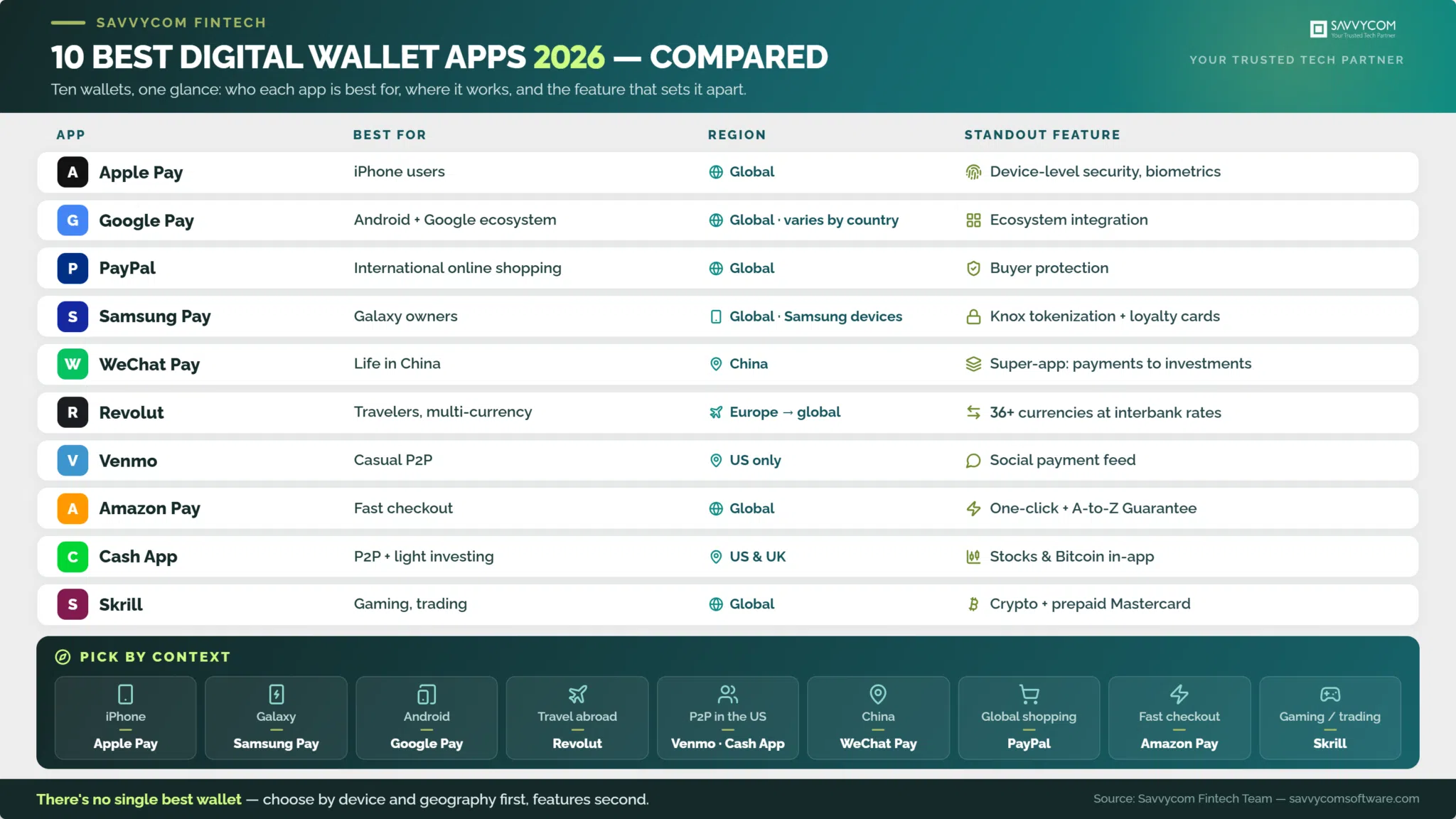
The best digital wallet apps in 2026 are Apple Pay, Google Pay, PayPal, Samsung Pay, WeChat Pay, Revolut, Venmo, Amazon Pay, Cash App, and Skrill. Which one fits you depends on three things: the device in your pocket, the regions you pay in, and whether you need extras like multi-currency accounts or investing.
This guide compares all ten on those terms. One thing makes our take different from most roundups: our team designs and ships e-wallet platforms for fintech clients, so we evaluate these apps the way we evaluate our own builds, by security architecture and real-world usability, not marketing pages.
The 10 best digital wallet apps at a glance
savvycom-10-digital-wallets-2026
| # | App | Best for | Region focus | Standout feature |
|---|---|---|---|---|
| 1 | Apple Pay | iPhone users who want payments built into their device | Global | Device-level security, biometric authentication |
| 2 | Google Pay | Android users paying across Google services | Global (features vary by country) | Deep Google ecosystem integration |
| 3 | PayPal | International online purchases with buyer protection | Global | Merchant acceptance and dispute resolution |
| 4 | Samsung Pay | Samsung device owners | Global (Samsung devices) | Tokenization plus loyalty card management |
| 5 | WeChat Pay | Payments inside China’s ecosystem | China | Everything-app: payments to investments |
| 6 | Revolut | Frequent travelers and multi-currency spending | Europe, expanding globally | 36+ currency accounts at interbank rates |
| 7 | Venmo | Casual peer-to-peer payments | US only | Social payment feed |
| 8 | Amazon Pay | Fast checkout on and beyond Amazon | Global | One-click checkout with A-to-Z Guarantee |
| 9 | Cash App | Simple P2P plus light investing | US and UK | Stocks and Bitcoin inside a payment app |
| 10 | Skrill | Online gaming, trading, niche transfers | Global | Crypto trading and prepaid Mastercard |
What is an e-wallet?
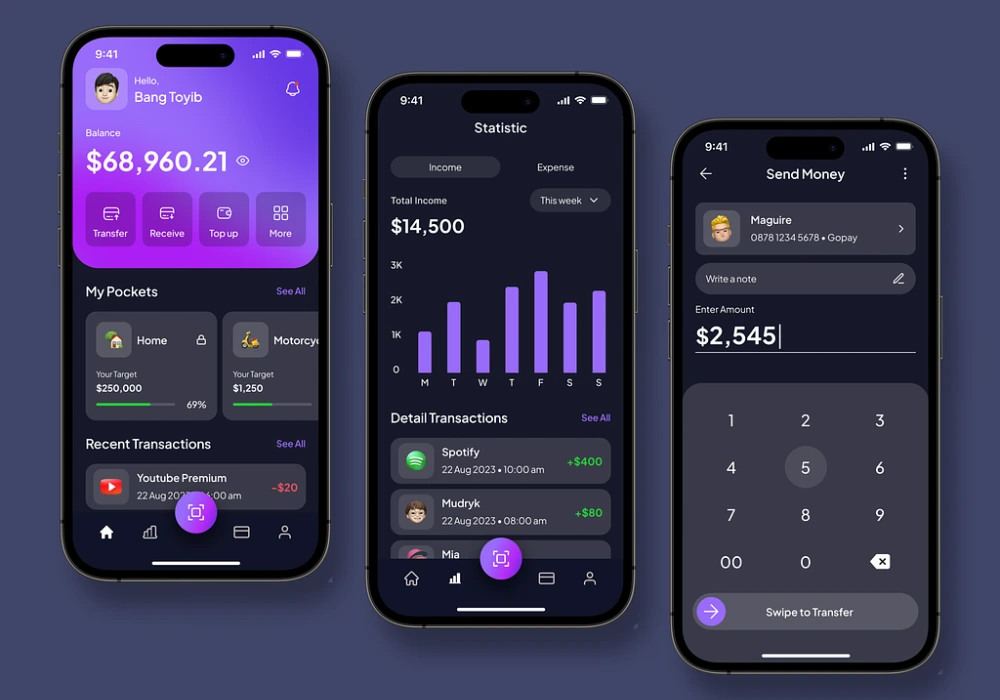
An e-wallet, or digital wallet, is a mobile application or online service that securely stores your payment information: debit cards, credit cards, and bank account details. Instead of exposing your real card numbers, it generates tokenized versions for each transaction, so you can pay in stores, in apps, and online without sharing account details.
Beyond payment cards, most wallets also hold boarding passes, tickets, loyalty cards, and reservation confirmations. The core trade the user makes is simple: one well-secured app replaces a physical wallet full of cards.
How do e-wallet apps benefit users?
E-wallets offer five practical benefits: faster transactions than card-and-PIN flows, access to your money from any connected device, stronger security through encryption and biometrics, built-in spending tracking, and lower fees on many transfers, particularly international ones, compared with traditional banking channels.
- Streamlined transactions: payments and transfers happen in a few taps, with no manual card entry.
- Universal accessibility: manage your finances anytime, anywhere, from any connected device.
- Enhanced security: encryption, tokenization, and biometric authentication protect both transactions and stored data.
- Automated budgeting: integrated tools track spending habits and support day-to-day money management.
- Lower transaction costs: many wallets undercut traditional banks on fees, especially for cross-border transfers.
How we evaluated these apps
Savvycom’s fintech team has designed and shipped e-wallet platforms for banking and payment clients, so we assessed these ten apps against the same criteria we apply to our own builds: security architecture (tokenization, biometric authentication, fraud controls), regional coverage and acceptance, fee transparency, and everyday usability. Each entry below includes what the app does best and one limitation worth knowing before you commit, because every wallet on this list has one.
Top 10 e-wallet apps in 2026
1. Apple Pay
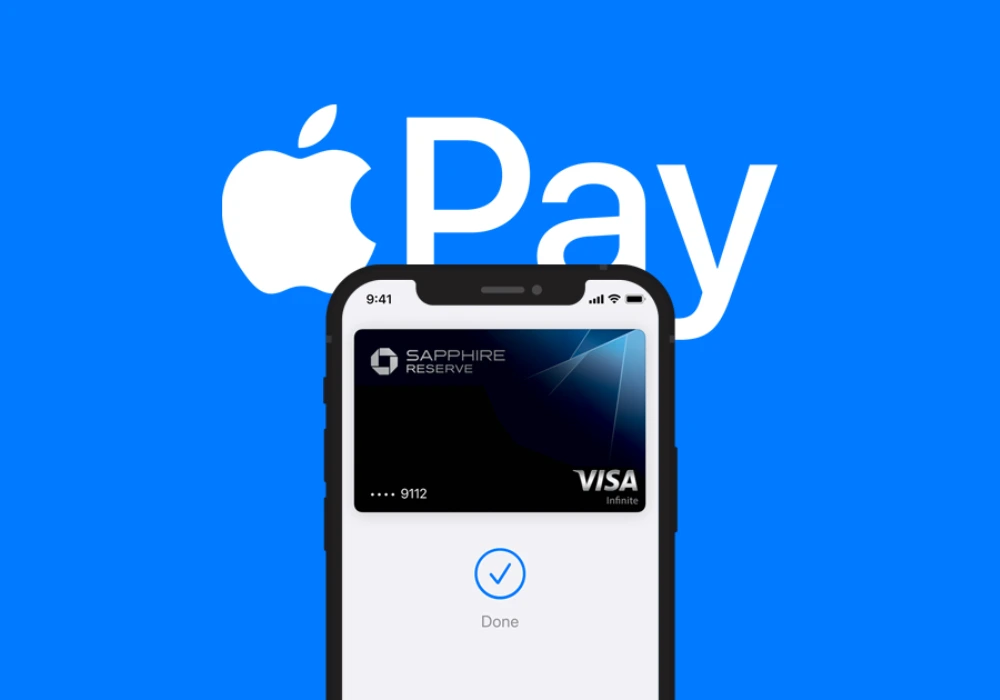
Apple Pay is Apple’s mobile wallet for iPhone, iPad, and Apple Watch. Its strength is being invisible: payments live inside the device you already carry, secured at hardware level.
Best for: iPhone users who want payments, transit, and ID cards in one place with zero extra setup.
- Contactless payments: NFC payments at any terminal that accepts contactless cards.
- In-app and web payments: checkout in supported apps and on Safari without re-entering card details.
- Peer-to-peer transfers: send and receive money between Apple users (US).
- Device-level security: card numbers never stored on device or servers; every transaction uses a one-time dynamic code plus Face ID or Touch ID.
Worth knowing: it is locked to Apple hardware. If your household or business mixes iOS and Android, you need a second solution for the Android side.
2. Google Pay
Google Pay is Google’s wallet and payment service for Android (with partial iOS support), tightly woven into the rest of the Google ecosystem.
Best for: Android users, and anyone who already lives in Gmail, Chrome, and Google services.
- Ecosystem integration: payment details flow across Chrome autofill, Play Store, and Google services.
- Contactless payments: NFC payments at participating retailers.
- Transit passes: store tickets and transit cards directly in the app.
- Bill splitting: split costs with friends and family inside the app.
Worth knowing: the feature set differs sharply by country. Peer-to-peer transfers, for example, are available in only a handful of markets, so check what actually works in yours.
3. PayPal
PayPal remains the default wallet for international online purchases, less because of its app and more because of how many merchants accept it and how mature its dispute process is.
Best for: cross-border online shopping where buyer protection matters more than fees.
- Merchant acceptance: one of the most widely accepted online payment methods worldwide.
- Buyer protection: established dispute and refund process for eligible purchases.
- Flexible funding: pay from balance, linked cards, or bank accounts.
- Multi-platform: consistent experience across desktop and mobile.
Worth knowing: currency conversion is where PayPal makes its money. The exchange spread on international payments is consistently worse than dedicated multi-currency services like Revolut or Wise.
4. Samsung Pay
Samsung Pay (Samsung Wallet in most markets) is Samsung’s counterpart to Apple Pay, covering payments, loyalty cards, keys, and IDs on Galaxy devices.
Best for: Samsung phone and watch owners who want the same built-in convenience Apple users get.
- Device integration: works across Samsung smartphones, smartwatches, and tablets.
- Security: tokenization plus fingerprint or iris authentication, backed by Samsung Knox.
- Loyalty and gift cards: stores and manages loyalty programs for easy redemption.
Worth knowing: like Apple Pay, it is hardware-locked, and it no longer works on non-Samsung Android phones. Outside the Galaxy ecosystem it is not an option.
5. WeChat Pay
WeChat Pay is one of the two payment rails that run daily life in China, embedded inside the WeChat super-app alongside messaging, shopping, and services.
Best for: anyone living in, traveling to, or doing business with China.
- Everyday payments: transport, dining, retail, utilities, and virtually every service in China.
- Peer-to-peer transfers: instant transfers between WeChat users.
- Bill payments: phone, utilities, and services from one screen.
- Financial services: wealth management and investment products inside the app.
Worth knowing: outside China its usefulness drops to near zero, and setup for foreign visitors, while much improved since international card linking arrived, still involves verification steps other wallets do not require.
6. Revolut
Revolut is a financial super-app built around multi-currency accounts, aimed at people whose money crosses borders: travelers, remote workers, and international families.
Best for: frequent travelers who are tired of paying currency conversion spreads.
- Multi-currency accounts: hold, exchange, and spend in 36+ currencies at interbank rates.
- Instant transfers: free instant transfers between Revolut users.
- Budgeting and analytics: real-time spending insights and automated savings tools.
- Investing: stocks, ETFs, and crypto inside the same app.
- Security controls: instant card freeze, location-based security, disposable virtual cards for online purchases.
Worth knowing: the headline features have usage limits on the free tier; heavy users end up on a paid plan. Support is app-based, which is fine until something goes wrong with a large transfer.
7. Venmo
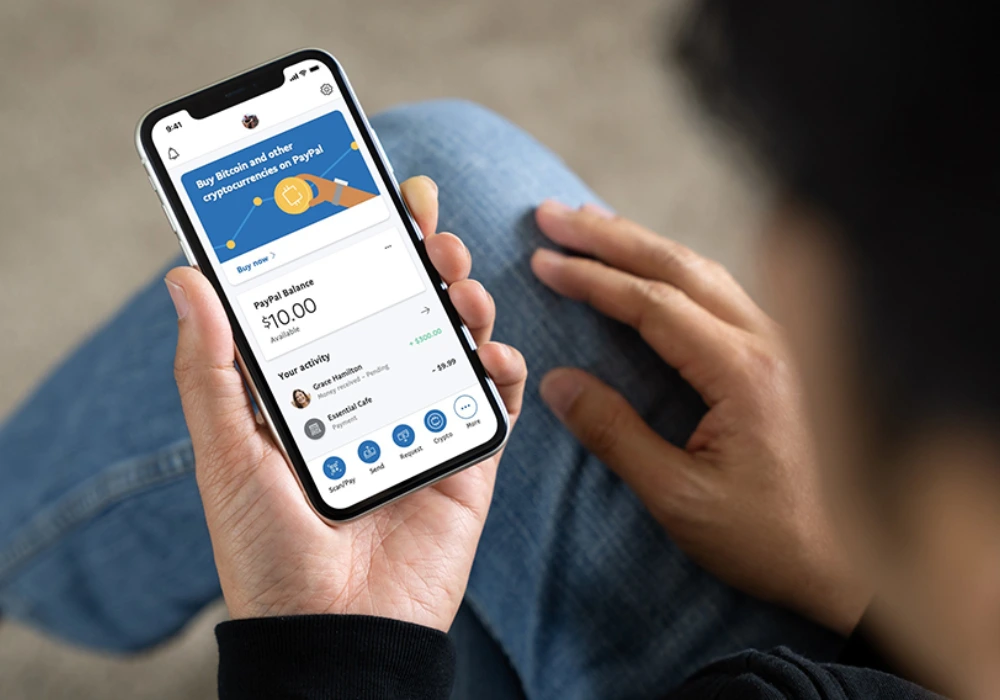
Venmo made splitting a dinner bill a social interaction. It remains the default P2P app for a large share of American users, especially younger ones.
Best for: casual person-to-person payments in the US: rent shares, group dinners, event tickets.
- Social feed: payments come with notes, likes, and comments among friends.
- Split payments: divide bills for restaurants, trips, or shared subscriptions.
- Venmo debit card: spend your balance anywhere Mastercard is accepted.
Worth knowing: US only, and transactions are public by default. Most users never change that setting; you should, the day you install it.
8. Amazon Pay
Amazon Pay extends the payment details already stored in your Amazon account to thousands of external merchant sites, making checkout a one-click event.
Best for: fast, low-friction checkout on external sites using credentials you already trust Amazon with.
- One-click checkout: pay on external sites without re-entering card or shipping details.
- Merchant network: accepted by thousands of online retailers beyond Amazon itself.
- Purchase protection: A-to-Z Guarantee coverage on eligible purchases.
- Voice payments: transactions through Alexa-enabled devices.
Worth knowing: it is a checkout accelerator, not a full wallet. There are no peer-to-peer transfers, and everything depends on your Amazon account standing.
9. Cash App
Cash App combines simple P2P payments with entry-level investing, which is exactly the combination that made it a fixture on American phones.
Best for: users who want one lightweight app for sending money and dabbling in stocks or Bitcoin.
- Peer-to-peer transfers: send and receive money in a few taps.
- Investing: buy stocks and Bitcoin directly from your balance.
- Cash Card: a customizable debit card with merchant-specific discounts (“Boosts”).
- Direct deposit: receive paychecks up to two days early.
Worth knowing: available only in the US and UK, and its popularity has made it a favorite target for payment scams. Treat requests from strangers exactly as you would cash.
10. Skrill
Skrill is a specialist wallet with deep roots in online gaming, trading, and gambling, niches where mainstream wallets often decline to operate.
Best for: online gaming and trading deposits, plus transfers in corridors mainstream wallets handle poorly.
- Online payments: fast deposits and withdrawals across gaming and trading platforms.
- Instant transfers: send and receive money between Skrill users instantly.
- Crypto trading: buy and sell cryptocurrencies inside the app.
- Prepaid Mastercard: spend your balance at any Mastercard-accepting outlet.
Worth knowing: the fee schedule is the catch. Inactivity fees, withdrawal fees, and currency conversion costs add up quickly for casual users who leave a balance sitting.
Which digital wallet should you choose?
Choose by device and geography first, features second. Apple Pay or Samsung Pay if you stay inside one hardware ecosystem, Google Pay for Android flexibility, PayPal for international shopping, Revolut for multi-currency living, Venmo or Cash App for US peer-to-peer, WeChat Pay for China, Amazon Pay for checkout speed, Skrill for gaming and trading niches.
Most people end up with two or three wallets covering different jobs rather than one covering everything, and that is the practical answer: there is no single best digital wallet, only the best one for each payment context. If you want to understand the categories behind these products before choosing, the guide to digital wallet types breaks down closed, semi-closed, and open wallets. And if you are evaluating the market from the builder’s side, our guide to fintech app development cost covers what it takes to ship products like these.
FAQ
Can I use multiple digital wallets on one device?
Absolutely. You can install and use multiple digital wallet apps on a single device, such as Apple Pay, Google Pay, and PayPal simultaneously. Simply select your preferred wallet at checkout based on accepted payment methods.
Do digital wallets work without internet connection?
Most digital wallets support contactless NFC payments offline for in-store purchases. However, peer-to-peer transfers, online shopping, and account management features typically require an active internet connection to function properly.
What happens if I lose my phone with a digital wallet?
Your funds remain secure. Most digital wallets require biometric authentication or PIN to access, and you can remotely lock or erase your wallet through your device's security features. Your actual card details are tokenized and not stored on the device.
Are there fees for using digital wallet apps?
Most digital wallet apps like Apple Pay, Google Pay, and Samsung Pay are free to use for standard transactions. However, some services may charge fees for instant transfers, international transactions, or specific business features like cryptocurrency trading.
Building a payment product of your own?
Savvycom designs and develops e-wallet and digital banking platforms for fintech clients across APAC, Japan, South Korea, Australia, and the US, from architecture and compliance through launch. See how these products get built in our e-wallet app development guide.
Ready to build? Explore our e-wallet app development services or talk to our fintech team for a scoped estimate.