Digital Transformation in Education: Plan, Risks, and Examples
Digital transformation in education means redesigning how schools and universities teach, administer, and support learners around digital tools and data, rather than digitizing old routines. UNESCO frames it around three keys: competencies, content, and connectivity. Execution is the hard part: UNESCO’s 2023 report found only 40% of primary schools worldwide were connected to the internet.
This guide covers what the work includes, what the evidence says about education technology, what a plan should cover, and where an institution can start. For the general concept, start with what digital transformation is and how it works.
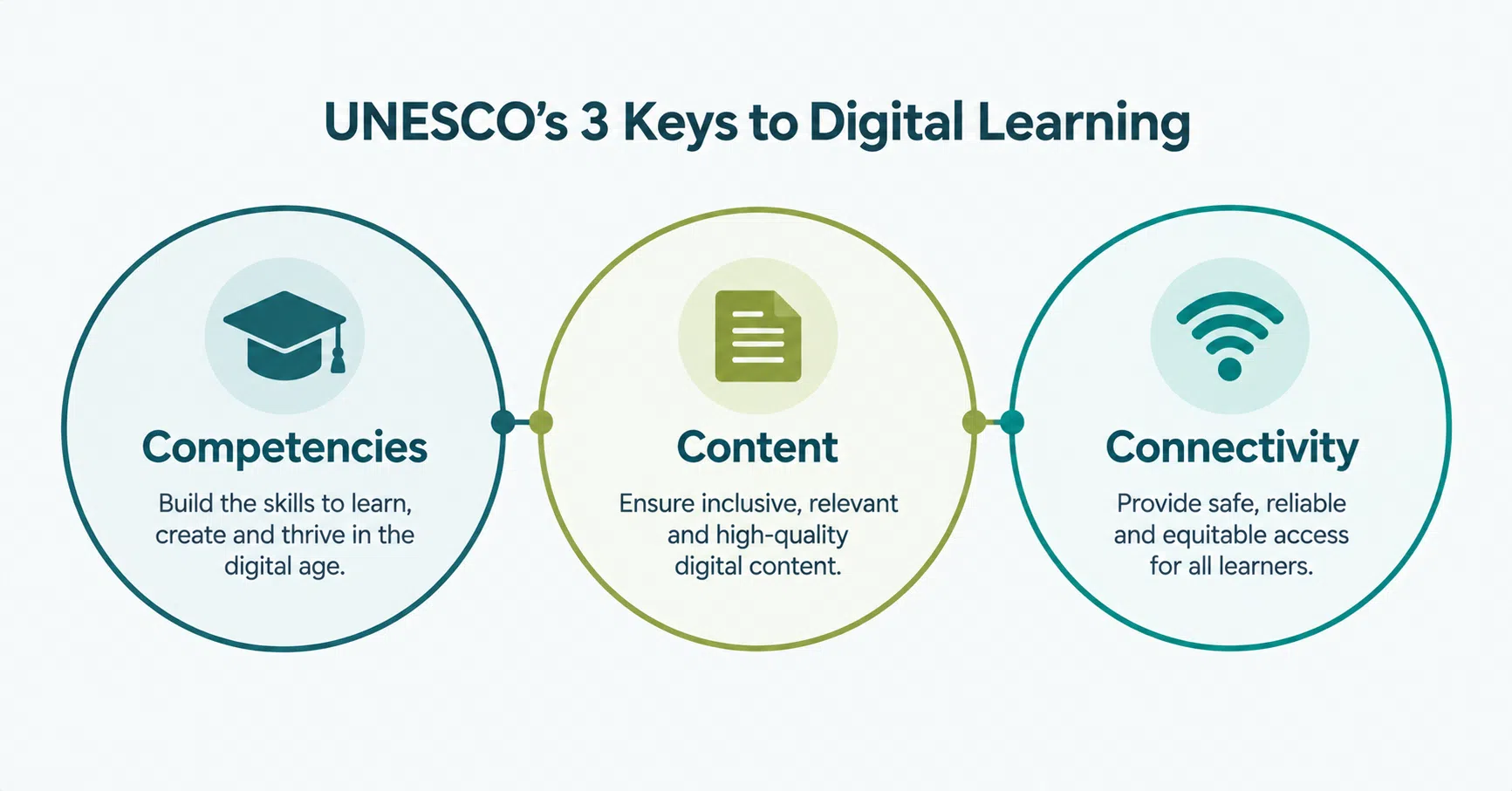
UNESCO names three keys to digital learning: competencies, content, and connectivity. A project that funds only one of the three tends to stall.
1. What Is Digital Transformation in Education?
Digital transformation in education is a system-level change in how institutions plan, teach, assess, and run operations using digital tools, data, and connectivity. It differs from buying devices or adding a learning platform because it also changes teacher practice, governance, and funding. UNESCO adds that technology should complement teachers, not replace them.
UNESCO’s Call to Action from the 2022 Transforming Education Summit names three keys to digital learning:
- Competencies. The skills teachers and learners need to use technology well.
- Content. Quality digital materials that fit what is being taught.
- Connectivity. Reliable access to networks and devices for learners and staff.
Academic work points the same way. A 2023 paper by McCarthy and colleagues in Social Sciences and Humanities Open derives the components school system leaders need from a thematic analysis of existing digital transformation frameworks.
2. What Does the Evidence Say About Education Technology?
The evidence is mixed, which is why planning matters. UNESCO’s 2023 Global Education Monitoring Report found small to medium positive effects of technology on learning in systematic reviews. It also found failures: Peru distributed over 1 million laptops with no positive effect on learning, partly because the focus was on devices rather than pedagogy.
Access is the first gap. The same report puts internet connection at 40% of primary schools, 50% of lower secondary schools, and 65% of upper secondary schools.
Cost and fit are the second. In the United States, an average of 67% of education software licenses went unused. UNESCO also reports that initial investment is 25% or less of the eventual total cost of education technology and that the EdTech Genome Project judged 85% of some 7,000 pedagogical tools to be a poor fit or implemented incorrectly.
These figures warn against buying without a plan. They are not an argument against technology.
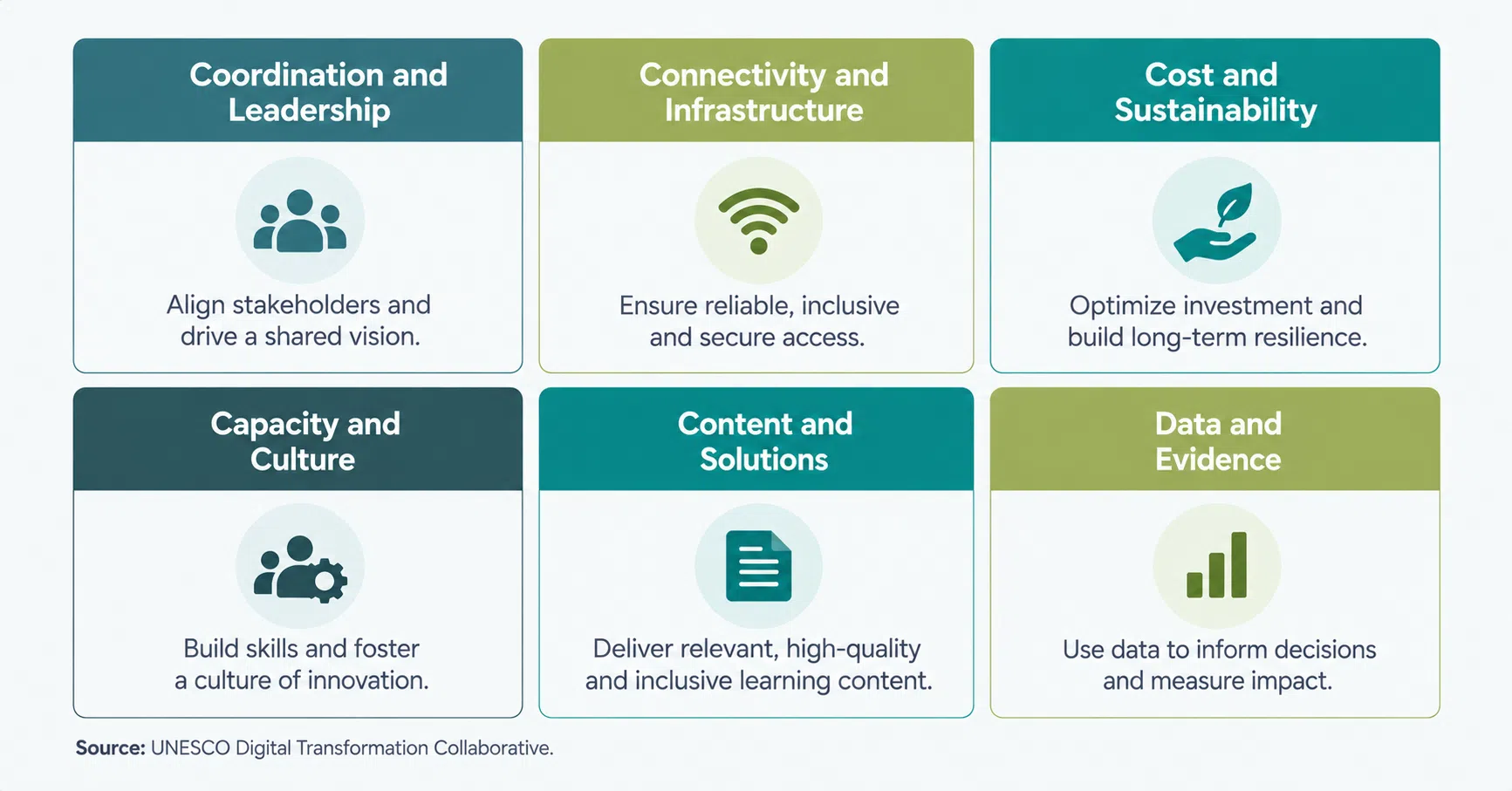
UNESCO’s Digital Transformation Collaborative Names’ six pillars devices and platforms cover only two of them.
3. What Should a Transformation Plan Cover?
UNESCO’s Digital Transformation Collaborative names six pillars: coordination and leadership, connectivity and infrastructure, cost and sustainability, capacity and culture, content and solutions, and data and evidence. Use them as a checklist. Devices and platforms cover only two of the six, so the rest of the plan needs its own owners and budget.
| Pillar | What it covers in a school or university | Question to ask early |
| Coordination and leadership | Who owns the program, who decides, and how schools, ministries, and vendors align | Who signs off on scope changes, and who is accountable after launch? |
| Connectivity and infrastructure | Networks, devices, hosting, and access for learners and staff | What happens to learners with low bandwidth or shared devices? |
| Cost and sustainability | Total cost over several years, including licenses, training, and support | What does year three cost, not only year one? |
| Capacity and culture | Teacher training, support staff, and willingness to change routines | Who trains staff, and how is adoption measured? |
| Content and solutions | Learning materials, platforms, and tools that fit the curriculum | Does the tool fit our curriculum, or must the curriculum bend to it? |
| Data and evidence | Learning and operational data, privacy rules, and measurement | What do we measure, and who may see student data? |
Pillar names: UNESCO Digital Transformation Collaborative. Middle and right columns: editorial reading of the framework.
Data privacy deserves early attention. UNESCO reports that only 16% of countries explicitly guarantee data privacy in education by law, so a project cannot assume the law will cover student data.
4. What Does a Delivered Project Look Like?
Many education projects start with the systems that applicants and staff touch first. Savvycom redesigned the website and built an application-tracking backend for KAIROS, a youth AI and robotics training program run by KG Group with Korea’s Ministry of Employment and Labor. Applicants now get real-time status updates and automated pass or fail notifications.
KG KAIROS: A School Website and Application Tracking
KAIROS is a youth AI and robotics training program run by KG Group in collaboration with Korea’s Ministry of Employment and Labor. Student applications ran through manual processes and disconnected workflows, which caused delays, errors, and no real-time tracking. Savvycom redesigned the UX and UI and built a Strapi backend that manages application status and sends results.
The KG KAIROS project also included an admin portal where staff organize application phases and review individual applications and an integration with the program’s existing digital systems. The interface follows the program’s logo and color palette. The case page lists these features and does not publish numeric results.
YES24 Channel YES: Changing a Live Platform Without Stopping It
A second Savvycom project shows how to modernize a platform people use daily. For YES24 Channel YES, a digital content and e-commerce platform from South Korea’s largest online bookstore, Savvycom, worked in two phases: a UX redesign, then backend re-architecture, and a switchover that kept service running. The revamp took 6 months, and satisfaction after handover exceeded 90%.
YES24 is a publishing and commerce platform, not a school. The sequencing still applies to any institution that cannot pause classes or enrollment while its systems change.
What These Projects Do and Do Not Show
These two projects cover web platforms, application workflows, and live migrations. They do not cover every education need, such as learning management systems, adaptive learning, or classroom AI. Read them as examples of early steps, not a full program, and match any reference project to your own scope before drawing conclusions from it.
5. Where Should an Education Institution Start?
Start with one outcome, not a platform. Pick a measurable goal such as a clearer admissions journey or less manual admin work, audit what already exists, name an owner, and fund teacher training alongside tools. UNESCO’s figures show why: initial investment is 25% or less of total cost, and about two-thirds of US software licenses went unused.
- One outcome. Choose a single goal and a way to measure it before choosing any tool.
- An honest audit. List the networks, devices, and systems in use, and who maintains each one.
- An owner. Name who decides on scope and who is accountable after launch.
- Teacher support. Tools only help if teachers use them. In the 2018 TALIS survey, only 43% of lower secondary teachers felt prepared to use technology for teaching after their training.
- Data rules. Decide how student data is stored and who can access it before any tool is selected.
- Staff-run changes. Decide which routine tasks staff can run without a developer, as the KAIROS admin portal lets staff manage application phases and reviews.
For how phased transformation projects are scoped and delivered, see Savvycom’s digital transformation solutions.